


EDUSTEAM Week 2024
Competitions
HTML & CSS
Rules:
- Topic: E-commerce Landing Page
- Duration: 60 minutes
- Use HTML & CSS
- At least 10 products
Judging Criteria:
- Creativity and Originality (30%)
- Design and Aesthetics (25%)
- Content and Presentation (20%)
- Responsiveness (15%)
- Code Quality and Structure (10%)
Example works:

National Shop
Online Book Store
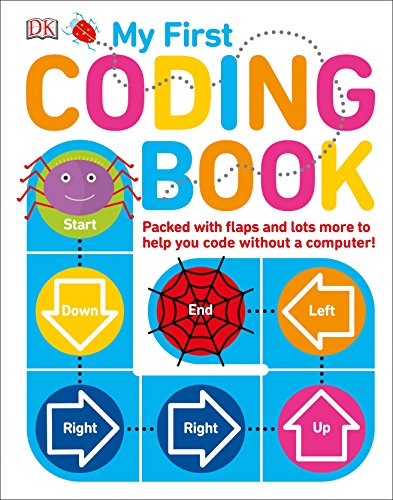
My First Coding Book by Kiki Prottsman - 5 to 7 Years Old
This book is on our list for many reasons. First of all, it’s great for children as young as 5 to 7 years old. It also doesn’t require a computer, but still teaches kids about coding. We love how this book teaches coding concepts using interactive paper engineering. It also introduces your kids to coding terms such as algorithms, variables, and flowcharts in easy-to-follow steps.
Another book we strongly recommend and reviewed is called 25 Scratch 3 Games for Kids. If you’re interested in checking that book out, That book is a follow up to Code your own Games!: 20 Games to Create with Scratch - which is one of the most popular Scratch books ever written. This is a direct link to that book.
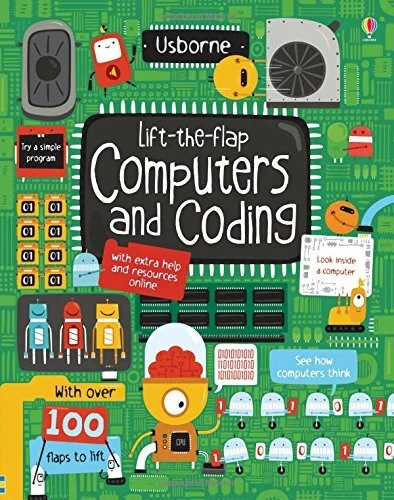
Lift the Flap Computers and Coding by Rosie Dickins - 8 to 10 Years
This book is best for children between 8 to 10 year olds. It does require some reading, so be sure they can do it on their own, or be close by if they need some help.
The book contains a lot of paper inserts, which provides a fun and interactive way for your kids to learn to code. Your kid can lifts the flaps in order to learn how computers and coding works. These flaps represent computer parts, so they learn what goes on inside computers to make them do what they do.

Coding Games in Scratch by Jon Woodcock - 8 to 12 Years Old
This book is made for kids with little to no experience in coding. The book is mainly based on the coding language Scratch. Scratch is a block-based visual programming language developed by MIT for kids.
This book features a fun step by step guide to teach your kids how to create computer games and interactive animations. The book is perfect for kids aged from 8 to 12. To use the book, your kids will need a computer with Scratch, which runs on any device.
<header>
    <img src="https://upload.wikimedia.org/wikipedia/en/thumb/c/c5/National_Book_Store_2016_logo.svg/800px-National_Book_Store_2016_logo.svg.png" alt="logo top">
    <h1>National Shop</h1>
    <h2>Online Book Store</h2>
</header>
<main>
    <hr/>
    <div>
        <img src="https://m.media-amazon.com/images/I/515TICTOduL.jpg" alt="book 1 image">
        <h3>My First Coding Book by Kiki Prottsman - 5 to 7 Years Old</h3>
        <p>This book is on our list for many reasons. First of all, it’s great for children as young as 5 to 7 years old. It also doesn’t require a computer, but still teaches kids about coding. We love how this book teaches coding concepts using interactive paper engineering. It also introduces your kids to coding terms such as algorithms, variables, and flowcharts in easy-to-follow steps.</p>
        <p>Another book we strongly recommend and reviewed is called 25 Scratch 3 Games for Kids.  If you’re interested in checking that book out, That book is a follow up to Code your own Games!: 20 Games to Create with Scratch - which is one of the most popular Scratch books ever written. This is a direct link to that book.</p>
        <button>Buy Now</button>
    </div>
</main>
<footer>
    <img src="https://upload.wikimedia.org/wikipedia/en/thumb/c/c5/National_Book_Store_2016_logo.svg/800px-National_Book_Store_2016_logo.svg.png" alt="logo footer">
    <span>Address: 3243 Still Pastures Drive, Columbia, South Carolina, USA</span><br/>
    <a href="tel:18034297446">Phone: +1  803-429-7446</a><br/>
    <a href="mailto:clara46@mueller.biz">clara46@mueller.biz</a>
</footer>
main {
    padding: 20px;
}
header {
    padding: 20px;
    background-color: rgb(246 187 32);
    color: black;
}
footer {
    padding: 20px;
    background-color: darkslategray;
    color: #eeffd3;
}
a {
    color: #eeffd3;
}
h1 {
    font-family:'Gill Sans', 'Gill Sans MT', Calibri, 'Trebuchet MS', sans-serif;
    color: #ff3535;
    margin-bottom: 0;
}
h2 {
    font-size: 20px;
    font-style: italic;
}
h3 {
    font-weight: bold;
    color: cadetblue;
}
img {
    width: 200px;
    float: left;
    margin-right: 20px;
}